

How to Improve Graphics Performance on Your Laptop: Simple Fixes That Actually Work
Introduction
Are you frustrated with your PC or Laptop's poor graphics performance while gaming? You're not alone! In this post, I'll share some easy tweaks that resulted in a 20% improvement on my own system. Let's dive into the details and boost your gaming experience!
Before we jump into the solutions, here's my laptop configuration:
OS: Windows 11 Home Edition
CPU: Intel i5 4th Generation
RAM: 16GB
SSD: 128GB
Graphics: Intel HD Graphic Family
Dedicated Graphics: 2GB AMD R5 M330
Despite the decent hardware, my gaming experience was marred by poor graphics performance and frequent game freezes.
Effective Solutions
After much trial and error, I found these three changes improved my system's performance by 20%:
Turn off Visual Effects: Windows 11 includes various visual effects that consume resources.
Disable Unnecessary Animations: Reducing animations can free up system resources for better game performance.
Adjust for Best Performance: This setting prioritizes performance over visual appearance.
1 - Turn off Visual effect

Click on radio button to turn off the "Animation Effect"

2 - Turn off all the unnecessary animations ( When possible )
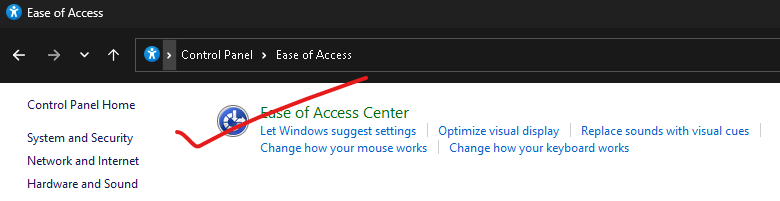

3 - Adjust of best performance

Change the setting by Choose "Adjust for best performance" and Apply


Every visit to Petrusko is a journey into creativity. The site’s combination of patterns, tutorials, and insightful blog posts offers both inspiration and guidance, helping makers bring their ideas to life with ease and confidence.
ReplyDeleteSinomosioLogos provides a serene and inspiring environment for thoughtful engagement with ideas. Each essay and reflection is crafted with care, offering readers perspectives that are insightful, reflective, and deeply resonant with thoughtful curiosity.
ReplyDeleteReading TurfEpicNo always leaves me more informed and inspired. The site’s combination of credible world news, meaningful technology coverage, and insightful storytelling creates a balanced reading experience that’s both enriching and empowering.
ReplyDeleteLinux topic content helps users explore technology, commands, and systems in a hearthstats net news friendly way, making learning simple and effective. Each concept highlights practical knowledge and real-world usage for better understanding.
ReplyDelete